Wednesday, February 27, 2013

It Couldn't Be Done...It's Done

When most people say, "It can't be done," what they really mean is, "I don't know how to do it." In today's world of limitless possibilities, proclaiming, "It can't be done" generally puts one behind the eight-ball. Worse yet, when we settle for "It can't be done," we stop looking for answers.

This poem is for all of those out there who have survived the naysayers and made things happen:

Somebody said that it couldn’t be done,
But, he with a chuckle replied
That "maybe it couldn’t," but he would be one
Who wouldn’t say so till he’d tried.
So he buckled right in with the trace of a grin
On his face. If he worried he hid it.
He started to sing as he tackled the thing
That couldn’t be done, and he did it.


Somebody scoffed: "Oh, you’ll never do that;
At least no one has done it";
But he took off his coat and he took off his hat,
And the first thing we knew he’d begun it.
With a lift of his chin and a bit of a grin,
Without any doubting or quiddit,
He started to sing as he tackled the thing
That couldn’t be done, and he did it.


There are thousands to tell you it cannot be done,
There are thousands to prophesy failure;
There are thousands to point out to you one by one,
The dangers that wait to assail you.
But just buckle it in with a bit of a grin,
Just take off your coat and go to it;
Just start to sing as you tackle the thing
That "couldn’t be done," and you’ll do it.
—Edgar Albert Guest, 1917

What was true in 1917 is even truer today!

While they were saying among themselves it cannot be done, it was done.
                                            —Helen Keller


When have you been told, "It couldn't be done" but you did it?

Monday, February 25, 2013

How Did They Do That? The BlackBerry Super Bowl Commercial

I was a BlackBerry user for 5 years before moving to my Android. Therefore, I have been watching with interest the development of BlackBerry 10. The series of delays was a large part of the reason I migrated from the BlackBerry to my current smartphone.

From everything I have read and from all of the videos which have been released, the new device looks good. The problem I see is that the new features, while new for the BlackBerry, are not new in the world of smartphones.It's a case of too little too late. The one exception is the camera. Showing you easier that trying to tell you, so here it is...


In the days leading up to the Super Bowl, I heard lots of buzz about a commercial BlackBerry would unveil. The hype included references to the Super Bowl commercial that introduced the Macintosh computer back in 1984. Here is the commercial which aired during the game between the Ravens and the 49ers:


Frankly, I was disappointed. The opportunity was there to demonstrate features which would show BlackBerry 10 to be in the same league with Apple and Google. The opportunity was there to "wow" consumers with a camera that would mean you would never again take a bad picture. Instead, the spot consisted of cute trickery.

While I was disappointed with the commercial, I did wonder how they pulled off some of the tricks. This clip shows how each element was staged.


After seeing how the creators of the spot did what they did, the commercial was a bit more enjoyable.

What did you think of the spot? Was it a winner for BlackBerry?

Friday, February 22, 2013

Dancing, the List, and a Whole New Resolve

You never know when a quick comment will resonate deeply with someone. Recently, Jennifer Hogan wrote the following words in her post "A Reminder and a Dancing Baby." 

Lately, many days I have been feeling like I did when I had a newborn at home. Then, I would look back at the end of the extremely busy day of changing diapers, feeding, rocking, cleaning (etc!) and think... "What in the world did I get accomplished today? Anything?"

Work has been extremely busy... so much so that there has not been time to sit back and just ponder. To think about the big picture. To reflect.

At home, it's been busy, too, with the girls' basketball schedule, club volleyball practices and tournaments, and just stuff that you have to do at home (cooking, cleaning, paying bills, etc.) I know many of you can relate. Frank Buck tweeted something the other day that spoke to me...


I realized that while I normally have my daily to-do list, I had thrown it out the window with so many incoming emails and situations at work, and I have just been responding. 

And it was sapping my energy. 

Thank you, Frank, for your reminder. 

Today is new resolve. Back to my lists of tasks, back to my new year's resolution to Win the Day. I want to look back on each day and have no regrets. 

That includes dancing, too.

Jennifer's post goes on to feature a video of a dancing baby. You may enjoy checking it out.

My original tweet was a comment I made as part of a Saturday morning tweet chat. It expressed a concept that has made a difference for me. Like most everyone else, I am tempted to drift to whatever is clamoring for my attention at the moment. The world is filled with so many rabbit trails cleverly disguised as treasure. I need something to keep me focused.

The to-do list isn't about drudgery. It's about charting a course. It's about living. Sometimes, it's about dancing.

You've got today, as does everyone else. What will you do with it? Do you have a plan? Is it clear? Is it one you can't wait to begin?

Today can be a whole new resolve.

Wednesday, February 20, 2013

I Do It When I Think About It (so here's how to think about it at the right time)

How often do we hear someone talk about performing a routine task “when I think about it”? The corollary for that one is when the task goes undone, the excuse is likely to be “I didn’t think about it.” We hang up the phone after talking to Sam for 15 minutes and then remember the 3 things we really needed to ask. We think about the application we need to submit the day after the deadline. We wake up at 3:00 A.M. thinking about needing to buy ketchup. The next day we walk right past ketchup at the grocery store without a clue. If only we could think about things at the right time.

Time Management In all seriousness, I believe that all of us do things when we think about them. The challenge is to develop some type of mechanism which causes us to think about them at the right time. Car manufacturers understand this concept and build in a little chime to indicate the fuel level is low. That mechanism causes the driver to think about getting gas at the exact point the tank is approaching empty.

Cooks understand this concept and set timers to cause them to think about taking the cake out of the oven at just the right time. Merchants buy air time so that their commercials can remind us right at the peak of the gift-giving season of the products they sell.

Some people seem to always be doing the right thing at the right time. Others are continually letting things slip through the cracks. What is the difference? If it is true that I do things “when I think about it,” then the magic becomes developing a system which causes me to think about it at the right time. Yet there is one more crucial step. The real magic is making that system easy enough that I will sustain it not for a week or a month, but for a lifetime.

Countless times during the day, responsibilities come my way which cannot be handled at that moment. What I can do is trap that thought before it escapes. That reminder likely goes straight to my digital to-do list, worded clearly enough that its meaning will be understood weeks later. If the ideas are flying and the exact task is hazy, my journal traps the conversation and I flesh out the “to-dos” at a more quiet time later in the day. Or, when obligations or thoughts come “on the fly” as I am walking down the hall or sitting in traffic, the memo pad I carry in my shirt pocket traps the basic idea.

What I can do is look at everything I have trapped during the day, make decisions about when I want to see each task again, and set due dates in my digital to-do list. Now, everything I wanted to think about today is going to appear on the list for today. All I have to do is look at it.

We live in a world that is potentially filled with stress. In February 2003, Fast Company magazine referenced data from The Centers for Disease Control and Prevention stating that 80% of our medical expenditures are now stress related. The National Mental Health Association estimates that 75-90% of all visits to physicians are stress related. Tools as simple as a memo pad or as complex as a smartphone combined with a strategy for how to use them can relieve a good bit of unneeded stress. I have written about how effective free software, such as Toodledo can be for keeping up with our commitments.

Those little tools serve as our personal assistants and remind us at just the right time of our meetings, the gifts we have to buy, the reports we have to write, and anything else we need to be doing. All the while, we are able to focus and be fully present in the moment. Carrying that smartphone or memo pad, and developing the discipline to use it, is a small price to pay for the freedom from stress that it brings.

 
We do it when we think about. That’s our nature. We just need an easy system, one that runs constantly in the background, does our remembering for us, and nudges us at the right moment.

Monday, February 18, 2013

Upgrading Your Android to Jelly Bean

Those whose phone of choice is an Android probably know that each version of the operating system has been names after a food item. In order, we had Cupcake, Donut, Eclair, Froyo, Gingerbread, Honeycomb, Ice cream Sandwich, and now Jelly Bean. Notice how the progression moves in alphabetical order.


I bought a Samsung Galaxy S III during the summer. It was running "Ice Cream Sandwich," and I was hearing about the roll-out of Jelly Bean. What I knew was it would be available in different parts of the world at different times and from different carriers at different times.

My assumption was that when the upgrade became available from my carrier, AT&T, I would turn on my phone one morning and either be prompted to all the upgrade to happen over the air or the upgrade would happen with no prompting. My assumption turned out to be wrong, which is the reason for this post. Others may be waiting for the upgrade to happen on its own, and that's not the way this one works.

I am writing this post after having just finished my upgrade. The first thing I had to do was download Samsung Kies. The software reminds me of the BlackBerry Desktop from my days as a BlackBerry user. I can be used to sync data. It seems the capability is there to sync the phone with Outlook. (That is another topic for another day.)

One of the capabilities of this software is to detect when upgrades to the "firmware" (the operating system on the phone) are available and installing them. Among the various guidelines for upgrading the firmware included backing up the data on the phone. This process was accomplished easily using Kies. You have the ability to pick and choose what is upgraded. By far the greatest amount of time was consumed by backing up my pictures. If your pictures are already present somewhere else, you may want to skip backing them up with Kies.

Another caution was that the phone needed to be fully charged. Mine battery was at about 85%, and that caused no problems. I imagine the caution to have the phone fully charged is so there is no possible way for the battery to run out during the upgrade process.

The upgrade was uneventful. You will definitely want to have something else to do during the process. I would suggest allowing a two-hour window of time. The process will take between 30 minutes to an hour. It always helps to allow more time in case things don't go smoothly the first time.

Patience is a virtue during the upgrade. After Kies had completed its process, the screen on my Galaxy gave me a message that the upgrade was being installed. When the process finishes, the device will reboot. You will hear the familiar start-up sounds. I would suggest trying some maneuvering on the device before unplugging it from the USB just to make sure you are not disconnecting prematurely.

Here is a video which talks about what is new in Jelly Bean:


I was surprised that I had not gotten some sort of notification of Jelly Bean's availability through Samsung or AT&T. In fact, I learned that the upgrade would not happen over the air, but via the Kies software, through a blog post. If I was mistaken about how the update would be acquired, I thought others might be as well.

Who do you know that has an Android device, particularly one from Samsung, who might need to know this information? Let them know about this post.

Friday, February 15, 2013

Need a Personalized Homepage? Take a Look at igHome

This past August, I wrote about my transition from Outlook to an web-based suite of tools, and my transition from the BlackBerry to an Android device. Those posts are as follows:

With Outlook, all five modules were located together, with the five buttons listed on the left-hand side of the screen, one below the other. The post entitled "Putting All the Parts Together" was about getting the same effect through the use of a personalized home page, and used Netvibes as the tool to do it. Since that time, I have come across another personalized homepage I like even better.

A great deal of talk has arisen following Google's announcement that iGoogle will no longer be available after November 1, 2013. The announcement has left many scrambling for another alternative.

I am experimenting with a new service called "igHome." The only slightly confusing part to me was when I created an account, it appeared to be asking for my Google password. That is not the case. After creating an account, the resemblance of igHome to iGoogle is unmistakeable. The page even includes the toolbar at the top, which takes you to Google Calendar, Gmail, YouTube, etc.
Time Management

The igHome page provides what Outlook provided, the various modules of my organizational together. Furthermore, they are together on my desktop computer, my laptop, or on any computer in the world which has Internet access. I can go into a public library, school, or any business establishment and log into my account. I see my organizational system and can work from it just as if I was sitting at my home computer.

Time Management


When the browser opens, I see my calendar, to-do list, and email side-by-side. (I have hidden the tasks and email from view in this screen shot just to keep private things private.) Imagine being able to view these three tools all at once. It's great for productivity.

You can add your own gadgets by clicking the "Add Gadgets" button in the upper-right corner. There, you can enter a subject in the search window and see whether or not the gadget you want exists. On the left-hand side of the screen, a list of categories is visible. Clicking on any category name reveals a list of suggested gadgets.

Time Management


The page even includes a link to leave a suggestion for a new gadget. My experience has been that the library of gadgets is rich, and virtually everything I had on my iGoogle page is also available on igHome. I am finding the selections on igHome to be better than Netvibes.

I have found the creator of igHome to be very responsive to suggestions. He has a good system in place for taking requests and providing feedback on the status of those requests. For example, I found the Google Calendar gadget would display only the main Google Calendar, whereas I also have a second calendar which tracks my wife's appointments, and a third containing "FYI" events. I asked about the possibility of being able to show multiple Google calendars in igHome. Within just a couple of weeks, that capability was there.

Presently, the service is in Beta, and that may cause some people to be nervous. However, everything I am seeing looks good. If that situation changes, I always have Netvibes as a fallback.
 
Do you use a personal homepage, and if so, which one? Anyone else using igHome?

Wednesday, February 13, 2013

Forget the Answer. Do You Know the Question?

Our world is moving forward at a blinding pace, and technology is leading the charge. No matter where we are on the continuum of being "tech-savvy," there are those who look to us as being the "tech guru" while we are awed by those who seem so much farther down the road than we. Those who can solve the problems and find the answers are essential. There is, however, another group who is as valuable—if not more valuable. They are the ones who ask the right questions.

Perhaps the most memorable of these experiences happened over 20 years ago during a talk I had with the school system's transportation director. Those who work in small school systems wear many hats, and Jim was a prime example. He began to show me the paperwork nightmare that was his system for keeping up with field trips. Calendars with multiple pieces of paper stapled to them littered the desk. Invoices had to be typed at the end of each month for each school listing every field trip taken and the amount owed. In the midst of lamenting about his paper avalanche, he asked the question that changed that transportation system overnight.
As he glanced at the AppleIIGS computer sitting across the room, Jim asked, "Is there any way that computer can help me?" 
This man knew little about computers, and at the time, I knew even less about transportation. However, Jim was able to describe the kind of information he needed. It would be a conversation which would have long-lasting effects on both of us.

 The next day, I was back in Jim's office with a database I had created on a program called “AppleWorks,” the Cadillac program of that time. The input screen was designed to parallel the paper request forms that were submitted to him. Input, thus, was made so simple he could delegate it to an assistant. For years, that school district ran its transportation system from that simple database. Along the way, Jim found shortcuts. That tends to happen when average folk like you and me start to sit down and actually use technology. We get better. Eventually, we get very good at it.

Over the years, the names have changed, and technology has improved dramatically. The essential elements are still there, however. We still need people who can solve problems. Now more than ever, we need people who can ask the right questions.

 Our world is one where information is often seconds away, and often supplied by someone we have never met. We can accomplish a Google search in a matter of seconds. Somebody out there has probably thought through the same question which confronts us and has seen fit to share it. The answer is there. Our challenge is to frame the question appropriately. We need those who can supply the answers. But first, we need those who can identify the questions.

 I am beginning to understand that we can never find an answer to a question which has not been asked. Whether we are good at finding the answers or good at asking the questions, we can all play a valuable part in the bigger game.

What questions in your environment have gone unasked for too long? What role can you play in asking them? When do you want to get started?

Tuesday, February 12, 2013

EdLeaders Network Followup


Thanks to everyone who was part of the "Free Tech Tools That Increase Productivity" webinar today. We covered a great deal of ground in 60 minutes. In addition to what you gained through the webinar and downloadable ebook, a number of posts on this blog will give you additional information about the tools and concepts from this event:

igHome  Friday's post (February 15) is all about this tool. Check back then.
No More iGoogle? What Will We Do?
Netvibes: When You Can't Find a Widget
Sharing on Netvibes
Free Dropbox Ebook
From Outlook to Evernote
New to Evernote? The Notebooks You Will Need
Survey Results are In! Learn About Google Forms
Conducting a Classroom Walkthrough Using Google Docs Forms
reQall: CLAS Conference Follow-Up
Vlingo: Your Personal Assistant

Technology is a moving target, so you will notice some differences between the tools as described in the blog posts and what covered in the webinar, In particular, Google has made some changes to the way the screen looks as you create forms. The concepts are still the same.

I welcome your questions here or on the ELN blog, using the link Arlin gave at the end of the webinar.

You can also follow me on Twitter, join the community on my Facebook page, or connect with me on Linkedin.

Monday, February 11, 2013

"I'm Too Busy to Document"...Right

Even good companies are capable of isolated cases of poor service. Bringing those cases to the attention of the proper people helps keep isolated cases from becoming epidemic. Good management realizes the value of customer feedback that is specific. It has been my experience that they, in some way, communicate back with customers who took the time to first communicate with them.

I had such an experience with a restaurant chain. Following a visit in late December which was less than satisfactory, I picked up a comment card and used the address from it to write a letter to the company. My letter was returned as undeliverable. It seems that in addition to the other problems, the management at that particular site was continuing to use cards with an old address long after the company had relocated its offices. (No wonder the corporate office wasn't getting any bad reviews about this unit.)

I re-sent my original letter, attached to a new one explaining the comment card debacle. When more than a month passed and without hearing a peep from the company, I decided to make a call. The receptionist transferred my call to the voice mail of the proper person.

Later in the day, my voice mail included a message from this executive whose tone implied my call was a bother and didn't understand why I was calling. According to her message, she and I had already spoken and resolved the matter.

Only, we hadn't...

I returned the call, and the conversation made it clear to me that some people arrive in upper-management positions not because of good organizational skills, but in spite of poor ones. She stuck to her story of having spoken to me. She was able to go to the "Complaint File" and return to the phone with both of my letters.

As she read her hand-written notes from the margins of my letter, she related a story of having reviewed videotapes from that evening of my visit and finding that what I had said in my original letter was true. As she read, I became even more sure that this was not a conversation of which I had ever been a part. Perhaps she thought she talked to me, but there was no way I would have forgotten about the type of conversation she was relaying.

Finding this executive's entire tone a bit condescending, I pushed a bit more on the point of her supposedly having already contacting me. After all, while there are some things which are a matter of opinion, this wasn't one of them. Either we had talked or we hadn't. One of us was right and one of us was wrong, and this was a matter of principle worth the investment of a couple of more minutes.

I asked her to turn in her phone log to our conversation.

She laughed. Yes...laughed.

"I talk to 35 or 40 people a day," she said. "I don't keep a phone log."

A person in her position, who seems to be the one to whom customer complaints are routed, can't afford not to document communication. She finds herself talking with dozens of people each day and relying on her memory fro the details of each conversation. What she has is a recipe for disaster.

The real kicker came when I asked for when she thought she had talked to me. I don't know what document she consulted, or whether she simply pulled the date from her head, but what I do know is that what came out of her mouth was "January 10th."

I looked at my calendar. On January 10th, I was out of town, and the only number I had provided in my letter was my home number. She could not possibly have talked to me the day she claimed.

I say all of this because...
I say all of this not to rant about a restaurant who couldn't get it right, but to emphasize the importance of documentation for any professional.

The one thing which would have saved this executive was a journal, a simple bound book of blank, lined pages. She's talking on the phone to 35-40 people every day anyway. How much extra time would it take to take notes on a call while she is on that call? Zero. When the call is over, the documentation is over. Close the book. That's it!

Later in the day, look at what has been written in that book and make decisions about what actually needs to happen. The process is too simple not to use.

The truth is most of what we document will never be needed again. The challenge is that we never know on the front end what will be needed later and what will not.

I have talked about documentation and how I use my journal several times on this blog. In "An Easy System for Documentation," you will see several practical examples and how to handle each. In "Documentation: It's Easier Than You Think," you will hear a short podcast. Just recently, in "What They All Have in Common," you can read about how conference attendees can be sure that good ideas don't grow cold once attendees return to their daily lives.

At the CLAS Assistant Principals Conference, a young assistant principal approached me after one of my sessions. During that session, we had talked about the value of using a paper journal to trap communication from phone calls, parent conferences, meetings, etc.

He told me about a recent phone call he received from a parent. Unlike the restaurant executive, this assistant principal had talked to the parent about the same issue some two months prior. Unlike this restaurant executive, the assistant principal was able to flip in his journal and talk about the date they talked and what was discussed. He was further able to talk about what the man's son had said when interviewed about the incident. Furthermore, he was able to discuss what other students who were interviewed had said.

While the incident happened two months prior, this astute assistant principal was able to use his journal and recount the events as if they had happened yesterday.  He, like many others with whom I have worked, wasn't spending any additional time. He was simply writing during the course of his interactions. Further, he was writing everything in one place. Since everything was being written in one place, when he had to access those notes later, there was only one place to look.

Too bad the upper-level restaurant executive is "too busy" to document her interactions.


Thursday, February 07, 2013

What They All Have in Common...

The last several weeks have provided me wonderful experiences:
  • Presenting to Alabama assistant principals at two live conferences
  • Presenting to Illinois administrators in a three-hour webinar
  • Presenting four sessions to Alabama National Board Certified Teachers at their annual conference
  • Presenting four sessions for Mississippi educators at their annual educational technology conference
While their locations and roles in education may have differed, these groups have in common 3 important concepts:
  • They are all interested in ideas, particularly in the area of technology, which are relevant and can be implemented immediately.
  • They will all leave the convention atmosphere of excitement and return to lives where emails, voice mails, and paperwork have been accumulating in their absence.
  • Their abilities to implement what they learned will be directly related to their abilities to organize their surroundings and manage their time.
When we step back into our lives, the conference bag is often thrown into the corner until we "have a chance to get to it." Months later, the notes have grown cold, the ideas have faded, and good intentions turn into guilty promises to do better next time.

Two tools provide the structure that will turn good ideas into regular parts of our daily lives. Both are tools which are regular topics in my presentations on organization and time management at conferences just such as these.

The Journal
When I attend a conference, my journal is one of the items thrown into the briefcase. It's nothing more than a bound book of blank lined pages. The magic is that the same journal opens every time I send or receive a phone call, every time I meet with someone where topics of significance will be discussed, and every time I join a group setting where I plan to learn something or come away with commitments to myself or others.

Where one day leaves off, the next one begins. When I attend a conference session, I am not at a loss to know where to write things down. Just open the book to the next blank line and start writing.

As I write, "to-dos" will occur to me. I write those down along with the other notes. I help myself by putting an asterisk (*) beside anything I write that is not just a piece of information, but is instead a "to-do" for me. With a plan as simple as this, I can keep up with the speaker and make sure I leave the session with the ideas I need in order to implement great ideas trapped in the pages of my journal.

The To-Do List
Later in the day, when the dust settles, I revisit the journal. My responsibility is to look at what I wrote during the day and decide exactly what I need to do about any of it. The results of those decisions goes on my to-do list. I word them clearly enough that I will know exactly what I was talking about tomorrow, a week from now, or a month from now.

I do not re-copy the notes from the journal. If I have details in those notes needed when completing the "to-dos" on my list, I put the date the notes were taken in parentheses beside the appropriate item on my list. When I look at the item on the to-do list, the date in parentheses say to me, "Look here for information."

Most importantly, I make a decision as to when I want to see that to-do and assign it an appropriate due date. Cleaning up email, voice mail, snail mail, unpacking, and putting out fires which erupted while away at the conference will always take precedence over the creative ideas learned during the conference. So, we need to be realistic. When will we have the time to give the new ideas and their implementation the time they deserve? Assign a date. Now go about the process of clearing the backlog which accumulated over the last several days.

Rest assured your to-do list is going to make sure the good ideas you learned at the conference are not forgotten.

Our roles differ. Our noble aims, and the tools with which we accomplish them, are much the same.  


Wednesday, February 06, 2013

Communication: Is It Focused or Fragmented?

Communication is easy these days. With one quick e-mail or one quick phone call, you or I can transfer the thought that is in our heads to the other person. Is that a good thing—or a bad thing—or both?
time management

To fully answer the question, I think we have to look at the scenario from the receiving end. How many e-mails are you getting during the course of a day? How fragmented do you feel as the result of re-focusing your attention from one topic to the next? How truly significant are those e-mails?

If the author had to wait a day before sending it, would the significance still be there? Would he have thought through the problem on his own just a little more before asking you to solve it for him? How truly significant are those phone calls? Just because the person on the other end had a few spare seconds in the grocery store line and a thought in his head, does that mean the thing to do is interrupt something potentially more significant you were doing?

As I look back over my years as a school principal, one of the key elements which “worked” was the “Friday Memo.” Every week, I composed a one-page memo and placed it in the mailbox of every employee on Friday morning. On that one page was everything I needed to tell them for that week. Announcements, birthday greetings, calendar events—they were all there. What did not make it on this week’s Friday Memo waited until next week.

Save the Friday Memo throughout the year, and you had in one place everything I had told you all year long. Not sure how much a box of copy paper was going to cost when requisitioned from the central office? Look back at a Friday Memo from the fall and you find your answer.

A year into my principalship, we established e-mail accounts for our faculty and staff. The Friday Memo, however, continued to live. Why?

Even though I am a digital person and quickly latched on to the benefits of e-mail, I realized its ability to fragment communication. How well can the average person put his hands on information from e-mails or phone calls? My experience is “not very well.” E-mails tend to be fragmented bits of information. One line of substance is accompanied by a paragraph of pleasantries and an obligatory closing.

What if we were to hold off for a moment on that e-mail? What if we were to wait a day or so and include several questions in that one e-mail? What if we waited to make that phone call and called tomorrow to talk about several topics? What if other people did the same for us? What would it take for all of this to happen?

Do people intentionally fragment the time of their colleagues? Of course not. A thought comes to mind, and they use technology to get that thought off their mind before they forget it. Because thoughts occur randomly, the communication occurs equally as randomly. It happens so frequently we often think that's the way it is supposed to be.

Tools as simple as a notepad and pencil prevent the random thought from being forgotten. Those tools are our friends. They allow us to let our thoughts accumulate. They allow us to organize our thoughts. Let the results be messages fewer in number and greater in meaning.

How much more could you accomplish if your days were not fragmented? What tools do you use to keep from fragmenting the days of your colleagues? 


Monday, February 04, 2013

New to Evernote? The Notebooks You Need

Evernote is a powerful resource. It does come with a bit of a learning curve. This past July, I composed a post about Evernote and ways I was using it. You can access that post there.

Time Management
Evernote uses the concept of "notebooks" rather than folders to organize information. The new user may wonder what notebooks are needed.

First, look at your paper filing system and clean it up. Next, look at the folder system you have on your computer hard drive. For years, I have recommending setting up a folder structure on the hard drive which parallels your paper filing system. That way, documents which come to you on paper will have a place where they can be filed. Documents which come to you electronically will have a parallel place.

Let's extend that concept to Evernote. The categories which have emerged in your life for your paper filing needs and digital filing needs are going to be pretty much the same when you start working with Evernote. So, as you create notebooks and brainstorm what notebooks you may later need, let the filing systems you already have in place be your guide.

That being said, you need not worry too much initially about a complete notebook structure. As you use Evernote. Changing information from one notebook to another is as easy as choosing from a drop-down menu.

In my mind, when are just getting started with Evernote, you cold get by with two notebooks, one for new information yet to be processed, and one for information already processed:

.Inbox
This notebook is a must. You will make it your default notebook in Evernote. Anything you add to Evernote goes there unless you designate some other notebook. It's a place to trap incoming information. Our lives are busy. We need to be able to trap that idea, photo, or voice note quickly and then move on. Later, we can make decisions about where the information needs to go. 

Some items of very temporary need. For example, you might take a picture of the parking spot where you left your car so that you can remember where to find the car after a trip. Once the trip is over and you have retrieved your car, the photo is of no use, and you would want to delete it. The next time you examine your Evernote inbox, you will see that photo, and that will be your trigger to delete it.

Notice the dot before the first letter in the word "Inbox." The punctuation will cause this notebook to sort to the top of the list, which is where you want it. That notebook is going to be very different from every other notebook. It's like the mailbox. Everything goes there first, and is then dispersed as needed. Just like your email inbox, you will want to get the Evernote inbox empty on a regular basis.

Miscellaneous
As strange as it may seem, you will function well with this as your only notebook aside from ".Inbox." You examine ".Inbox" and whatever you want to keep is moved to "Miscellaneous."

As you add other notebooks, you will scrutinize the "Miscellaneous" notebook and shift items to them. I believe you will always have a need for this "Miscellaneous" notebook. You will always have items which do not fit neatly into one of the notebooks you have, so you need a catch-all for such items. This arrangement is much better than having a large number of notebooks with only one or two notes in each.

Other Notebooks
Listed below are some other notebooks I have and how you could use them:

Personal Information—This notebook will house airline frequent flyer numbers, hotel rewards numbers, various other account numbers, serial numbers for major purchases, etc. I keep all of this in my "Personal Information" notebook. Within it, I have notes entitled "A-C," "D-F," "G-L," etc. Within each note, the various accounts are listed alphabetically.
 
Checklists—If you are the principal, what are the steps involved in hiring a teacher. If you are a teacher, what are the tasks to perform at the end of each grading period? In your personal life, what would you put on a list of items to pack when going on a trip? Put these checklists in a notebook. When you need one, you can copy and paste it into your digital to-do list. If your to-do list has the capability, you can email from Evernote directly into your to-do list.

Classroom Observations—For principals, each visit to a classroom would be a note. Name the note with the teacher’s name. At the end of the year, notes from all observations are in one place.

Curriculum—Do you need a place to capture "best practice"? Do you need a place to house your list of standards? This notebook would likely have many notes, each one housing a particular teaching idea. You could use "tags" with the names of various subjects. All ideas related to math would have the "math" tag. You are allowed to have multiple tags, as some ideas may apply to more than one subject.

And for taking notes...
If you want to take notes, such as phone calls and meetings, and do it digitally, Evernote is the place. Title the notebook "Journal." I feel that a paper journal is still the best solution, and I use a digital "table of contents" (which I keep in Evernote) to help me locate specific information quickly. However, I know many people have a strong desire to use their tablets instead of paper.

My strategy would be that each phone call is a note, each parent conference is a note, each meeting is a note, etc. Evernote will date and time stamp each one, providing you with a record of exactly what happened when.

Allow Evernote to save each note to ".Inbox." At the end of the day, your responsibility will be to read what you have recorded and decide what you need to do about any of it. The results of those decisions will go in your digital to-do list, using whatever software you choose. You may copy parts of what was input into Evernote, and paste it into the note section of a task. That action would  provide you with the information you need when you perform that task.

Once you have read an ".Inbox" note and extracted to-dos, that note will now becomes reference information. From the drop-down menu, you would change the notebook to “Journal." In this notebook, you will have a chronological listing of all of your notes from phone calls, conferences, meetings, etc.

For those who already use Evernote, what suggestions do you have for a naming your notebooks?

Friday, February 01, 2013

School Leadership Briefing Follow-Up

evernote
Welcome to those who are subscribers to the School Leadership Briefing. This post is especially for you. If you are not a subscriber, that's OK; the segment I recorded is being made available to all readers of this blog. Listen to my talk on "Five Free Tech Tools to Help You Get Organized."

Time Management Toodledo 
Toodledo is a powerful web-based to-do list. It works with PC or Mac. Apps are available allowing you to sync any of your mobile devices to Toodledo. I recently composed a 6-part series on Toodledo. You can read Part 1 here.


igHome 
Time ManagementigHome is a personalized homepage. It is the perfect tool for those who use iGoogle and are looking for a replace when iGoogle ceases to exist on November 1. On February 11, my post will explain igHome. By that time, you may already have your igHome page established.


Dropbox
Put anything in Dropbox and retrieve it on any of your computers, mobile devices, or any computer in the world with Internet access. I composed an e-book to guide you through a strategy for using Dropbox.Click on the cover to download.

time management
Click on the cover to download the free Dropbox E-Book

Evernote 
Time ManagementEvernote is a great place to store and organize commonly-accessed information. The information is then available on any of your computers, mobile devices, or any computer in the world with Internet access. On February 4, my post will talk about the notebooks I suggest you create when you get started with Evernote.

Voice Input
This area is becoming a major player in the world of smartphones. Everyone has seen the commercials advertising Siri. In the audio segment, we examine using voice input to get "to-dos" into your system, specifically getting them into your email so that when you handle your email, you are handling the voice notes (now transcribed to text) as well. To set up a reQall account, go to reQall.com/app.

For Vlingo, go to the site where you download apps for your smartphone and search for Vlingo. Recently, Vlingo for Android has been replaced with a program called "Dragon Mobile Assistant." Currently, Dragon will not allow you to email by voice, functionality that is necessary to get those random thoughts into your system. The app promises this functionality will be there soon.

Each of these 5 tools represents a major player in my productivity arsenal. They help me quickly access the information I need when I need it. Thanks for listening to the School Leadership Briefing segment. Feel free to leave a comment or ask a question.

Wednesday, January 30, 2013

Of Water Wings and Bicycles and the "Digital Haves"

Chairing District Accreditation teams, delivering software training, and conducting workshops have brought me in contact with schools and school personnel in a number of states. As we talk about technology, the topic is invariably raised of just what percentage of households has Internet access. We have sound educational objectives that involve student use of the Internet at home. Yet, we hesitate to move forward because of those who “don’t have the Internet.”

technology
The discrepancies between the libraries in large cities and those in small towns are enormous. So too are the discrepancies between resources in affluent versus poverty-ridden schools. The great equalizer is the Internet. The Internet is the same in the Library of Congress as it is in the library down the street.

We must re-frame the question from, “Do you have Internet access?” to “How do you have Internet access?” Do you have access at home? If not, what about at work? Can you get to a public library on a regular basis? Can you go to a neighbor’s house?

As long as we operate in a mode that assumes part of our population will not access the Internet, we can never fully use this tool in the homework or projects we assign. We further the disconnect that so many see between our educational system and how the real world operates.

People generally rise to the expectations set before them. If we proceed with the assumption that our students can gain Internet access, they will find a way. If we proceed with the assumption that our parents can gain Internet access, they will find a way. Our communication methods can become more streamlined. Our assignments and the resources required to complete them can mirror how resources are used in the real world to solve problems. In short, we can move to a new level.

At the same time, we tend to rely on the crutches that are available to us. As long as you give me water wings, I don't have to learn to swim. As long as you let me keep the training wheels, I don't have to really learn to ride the bike. As long as you continue to send me a paper copy of everything, I never have to figure out a way to become one of the "digital haves."

 When we continue to make allowances for those who have yet to make joining the “digital haves” a priority, we become part of the problem. We send the message that access to the unlimited body of knowledge available with a few mouse clicks is just not that important. Perhaps it’s time to take away the water wings. Perhaps it’s time to take away the training wheels. Perhaps it’s time to stop duplicating every digital communication with a paper copy.

Let’s change the conversation. As we move through 2013, let's refuse to allow a segment of the population to ignore a tool that holds so much potential. No longer ask the question, “Do you have the Internet?” Assume the answer to be "Yes." The only question is the “How?”


Monday, January 28, 2013

Excerpt from "Free Tech Tools for a More Productive New Year"

We have one more week left in "Get Organized Month," a time for us to roll up our sleeves and jump into one of the most popular News Years resolutions: Get Organized! A year ago, Eye on Education and I kicked off celebrated with an hour-long webinar entitled "Free Tech Tools for a More Productive New Year."

Eye on Education is allowing everyone to re-live a portion of that webinar for free by visiting their blog. You can see that particular post here .

You can also watch the except below. I would encourage you to visit the Eye on Education blog if you are not already familiar with it. You will find resources from many authors.


reQall was providing us with voice-input capabilities before Siri or similar apps. Since reQall does not require a smartphone, those who use a feature phone can use reQall as a way to get thought out of their head and unto their email.

The world of technology changes rapidly. One of those changes impacts this video. The address to set up the reQall described in the video has changed slightly. It used to be http://reqall.com. Now, that address is http://reqall.com/app.

I hope you enjoy this excerpt!

Has anything happened this month to help YOU get a little more organized?

Friday, January 25, 2013

Free PFD File Conversion (and 50 More )

I am always glad to know about sites which offer free solutions to common problems.I am equally glad to pass that knowledge along to readers. Recently, I received an email letting me know about a site which converts PDF documents to Word.

The site is http://convertpdftoword.org. I tried it, and was impressed with the results. While you can sign up for a free account, registration is not necessary to use the site. You navigate to the document you wish to convert and supply your email address. I received an email in less than two minutes with a link to download my converted document. When I opened the document, it appeared perfect.

Time Management


In September 2010, I reviewed another PDF to Word converter in this post. That site and the one just experienced operate in a virtually identical fashion. The only difference is the one I had reviewed in 2010 asks you to complete a CAPTCH and this one does not.

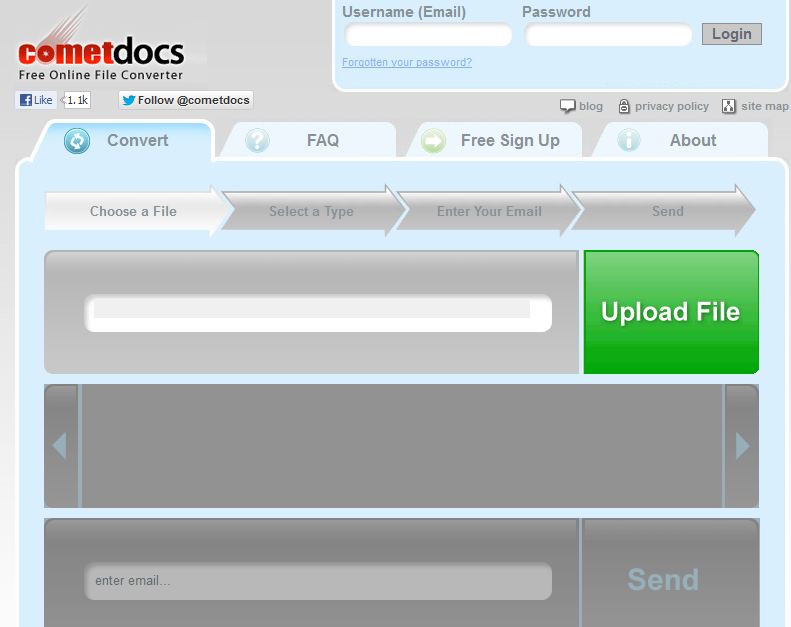
My exploration got even better. I noticed in the upper-left corner a link labeled "in conjunction with Cometdocs.com." When I clicked that link, I was taken to a more robust site at the URL Cometdocs.com. I read the FAQ tab and found Cometdocs offers over 50 online conversions, also for free.


I Googled Cometdocs and found this review done on Lifehacker in April 2009. The review was positive. My experience has also been positive. So, I offer these sites to you and hope they will increase your productivity.

After you have had a chance to take these sites for a test drive, I would be interested in what you think. If you know of other sites which offer similar capabilities, I would be glad to hear about them.

Wednesday, January 23, 2013

Patience is Doing Something Else in the Process

Time management

We live in a world of “hurry up and wait.” It happens when we show up for the medical appointment on time, only to realize the doctor is running an hour behind. It happens when we arrive at the airport with plenty of time to navigate security, and find out the flight has been delayed.


“Wait time” is a real force in our lives. Add it all together, and it amounts to a huge time sink which can turn a good day sour. On the other hand, wait time provides pockets of unexpected discretionary time. How we use it is determined by how we prepare for it.

I am actually writing this article at a national conference waiting for the next session to begin. I fully expect to wait for the shuttle that will take me from the hotel to the airport, and then more wait time before boarding the plane. Without a doubt, I will have an hour and a half on the plane. Add it all together, and I am looking at three to four hours of wasted time...or I am looking at three to four hours where I can accomplish something of value. What determines which of the outcomes will be true?

Reading Material at Hand 
When magazines arrive at my house, they go in a wooden letter tray beside my desk. I maintain a list of books I want to read and check them out from the library. They also go in that letter tray.

Before I leave my house, if there is any chance I will have wait time, I grab a book or several magazines. The spare minutes are plugged with reading I wanted to do anyway. People ask me, “How do you stay on top of all of the reading material?” Now you have my answer.

Build the List 
While reading material is great for filling the gaps, it is by no means the only option. As subjects for future blog posts come to mind, they are trapped on a list. When I have wait time, I can choose a topic from the list and compose a new blog post or newspaper article. What you are reading now is a good example. My smartphone’s task list holds URLs for websites I want to examine in further detail. In fact, everything I have to do, no matter how large or small, regardless of how urgent or how far in the future, is trapped on that list.

In my posts earlier this month on Toodledo, I talked about having my list sorted by due date. Whatever is overdue is at the top; whatever is scheduled for far in the future is at the bottom. Simply changing the due date on an item allows it to be moved up or down the list. I never have to rewrite a list. Searching for a word produces every item containing that word. If I search for the word “blog,” I see an idea for future blog posts sorted by due date.

When waiting time presents itself, I can quickly find those things I wanted to do anyway and could be doing right then. I turn potentially wasted time into productive time.

How do you handle waiting time?

Monday, January 21, 2013

Getting Your Google Calendar to Sync

If you use a Google Calendar and the calendar on your computer is successfully syncing with your mobile devices, you can stop reading now. This post is not for you. However, if you use a calendar on your phone, but your digital calendar is only on your phone, this post can make a difference for you every day. If you are maintaining a Google Calendar on your computer, and you are also entering the same data on your mobile device with two thumbs, this post is also for you.

Time Management
A calendar which syncs between your computer and mobile devices is something that is great if it's working...and extremely frustrating if it's not. The same holds true for having tasks, contacts, and notes , but those are other posts for others days. Today, we address the calendar.

When life is coming at you, and there is limited time to tinker with the technology, very talented people find themselves "getting by" by doing double entry on computer and phone, printing a calendar from the computer to use when out of the office, or simply trying to remember what was on the computer back at the office. Worse yet, they get used to this madness and never take the time to get the technology working correctly. It is something they will get to when "things settle down." In practice, "things" rarely settle down, especially when time-wasters are built into the system. With a sigh, they say that just "live with it," and continue to live with data which does not sync and calendars they can't fully trust.

If the last couple of paragraphs describe you, read on. Rather that reinvent the wheel by keying step-by-step instructions, I have found where others have already doen the work. In this outstanding article entitled "How to Sync Google Calendar to iOS, Android, and Windows Phone," you will get those detailed instructions for Android, Apple, and Windows Phone and see what you need to do whether you are working with an Exchange server or not.
Time Management

Michael Hyatt writes a great blog and is a very tech-savvy person. In one of his posts, however, he expresses his own frustration with getting his iPhone to sync with his Google Calendar. If Michael Hyatt can run into problems, don't feel bad if you do as well. Michael went a step further and provided step-by-step instruction for what worked for him, including extensive screen shots. If you are an iPhone user, I recommend you read Michael's post, "How to Setup Google Calendar on Your iPhone."

As I poll participants in my workshops, a huge shift has occurred over the last 5 years in the percentage of people whose calendars reside on their phones rather than on paper. Smartphones are ubiquitous for school administrators and business executives. The compactness, ability to view data in a variety of forms, the search function, and alarms has made us fans of having the calendar on our phones.

Where do you stand? Are you an early adopter who has been syncing a digital calendar with a mobile device since before the new millennium? Are you a more recent convert to the digital calendar, but your sync process is working great? Are you in the group this post targets—someone who would love for the syncing to work, but it's just not? Are you a paper planner devote, possibly looking into whether or not you want to take the digital plunge? I would be interested in hearing your story. Please leave me a comment.

Friday, January 18, 2013

Get Organized With Toodledo (Part 6)

Today, we complete a series of posts about using digital to-do lists in general,and using Toodledo in particular.If you are just joining us, I encourage you to begin reading with the post dated January 7 and work up to this post. Today, we wind up our discussion by showing you shortcuts for getting information into Toodledo.

Bookmarklet
On the Toodledo website, click the "Tools" tab and click on "Browser Plugin." You will see instructions to click on the Toodledo Bookmarklet and drag it to your bookmarks toolbar.


What does this bookmarklet do for you? In short, it provides you a quick way to get information into Toodledo without your even being on the Toodledo website. Simply click the Toodledo Bookmarklet and you will be able to add a to-do, set start and due dates, set a repeating pattern, etc. It also automatically copies the URL you are on and pastes it in the note section.

That last trick comes in very handy. Think of how many times you are visiting a website and want to read the page you are on at a later time. Clicking the Toodledo Bookmarklet copies the URL in the note section. You can then word the task accordingly, something like, "Review this article about productivity." Set a date, save, and you don't have to think about it anymore. On the appropriate date, you will see a reminder to read the article. The URL, a clickable link, will be there for you to access your reading material.

Firefox addon
If you use Firefox as your browser, there is a Toodledo add-on which may be of interest. Click the "Tools" tab and select "3rd Party Tools." On the next screen, click the link for "Browser" and look for the "Firefox Addon."
Time Management

With the addon installed, I can create a new Toodledo task from anywhere in my browser. I hold the "Ctrl" and "Alt" keys and hit the letter "a." A new task is created. The basic differences between this and the bookmarklet are that with the add-on 1) nothing is automatically copied to the note section; and 2) no default dates are added. You must remember to complete them.

One of those little rules of life is that which is easy gets done. So, our challenge is making getting habits as easy to do as possible. If we want people to use a to-do list, then we have to make input easy. Either one of these two tools is designed to do just that.


Now that you have read this series on digital to-do lists, focusing on Toodledo, I would be happy to entertain questions, hear your suggestions, and respond to your comments.

Wednesday, January 16, 2013

Get Organized With Toodledo (Part 5)

If you are finding this blog for the first time, I encourage you to scroll back to Monday of last week and read each of the posts between that day and today. We have been using Toodledo as an example of a good digital to-do list. The data lives "in the cloud" and can be accessed from your computer, any of your mobile devices, and can be accessed from any computer with Internet access by logging into your account.

Time Management


Get email from "in" to "empty" every day
Too many people suffer from an email Inbox that resembles a bottom-less pit. Much of the email represents things they need to do, even though what needs to be done won't happen for days or weeks. So, the email sits there, a constant reminder of what can't be done right now.

Toodledo offers a very simple way around this problem. When you create your account, you are assigned an email address. You will find this address by clicking on the "Tools" tab, then clicking on "More." One of the choices you will see on the next page is "Email Access." Click the "Configure" link you see on that panel. Here you will see your Toodledo email address. Be sure the box marked "Enable e-mail importing" is checked.

You will want to highlight and copy that email address. Go to your contacts and add a new contact called something like "Toodledo Tasks." In the email address field of this contact, paste your Toodledo email address and save.

From this point on, when you receive an email that embeds a "to-do," forward the email message to that Toodledo email address. The information shows up in Toodledo. The subject of the email will show up as the name of the task. The entire body of the email shows up in the note section of the task in Toodledo.You can use this technique whether you are reading email on your computer, one of your mobile devices, or from a public computer. If you have the ability to forward an email message, you have the ability to get that email into Toodledo.

Before sending, you can do some editing which gets the task to show up in Toodledo the way you wish. First, you can edit the subject line so that it better spells out what you need to do. Secondly, you can instruct Toodledo as to what start and due dates to assign. If I include in the subject line >1/21/13, Toodledo assigns a start date of January 21, 2013. Including in the subject line #1/21/13 sets a due date January 21, 2013. If I do not specify a due date, my due date defaults to today. Finally, I can edit the body of the email so that when I start to do the task, I will have the information I need. I can add additional information, delete superfluous information, and leave intact the information from the email which will help me complete the task.

The concept is that when you identify the emails that contain "to-dos" and get those into your to-do list, you have all the reminder you need. You no longer need to have the email in your Inbox as a reminder to do the task. You can file the email if you need to retain it for documentation purposes or simply delete it.

If you are an Outlook user, there is a similar technique. Read my post on "Getting from 'In' to 'Empty.'" If you use another web-based to-do list, look for a way to forward email to that list.

On Friday, we conclude this discussion with a couple of tools which make it easier to get tasks into Toodledo.

How many emails do you have in your Inbox right now? How do you keep from being overwhelmed by email?