Showing posts with label igHome. Show all posts

Friday, October 04, 2013

No More iGoogle? What Will We Do?

iGoogleIn the world of technology, good things come and good things go, and when they go, they are generally replaced with better things. iGoogle has been a good thing for me for quite a few years. It served as my homepage, so that every time I opened my browser on my work, home, or laptop computer, I was looking at my iGoogle page.

A little over a year ago, Google announced the shut-down of iGoogle effective November 1, 2013. Many people, me being one of them, began looking for an alternative. I found some good options, but one stood out above all others because it was user-friendly, close resemblance to iGoogle, and offering of an outstanding array of gadgets. That option is igHome.

I first wrote about igHome in February. I am writing about it here because, earlier this week, current iGoogle users were confronted with this message when they opened their browsers:

iGoogle


The same day, a message appeared on my igHome page apologizing for any slow speeds. They have evidently been inundated with people moving from iGoogle to igHome. In fact, this weekend, igHome is installing additional servers to handle the additional traffic. It looks like others are quickly going down the path I traversed early in 2013.

Why do you need a personalized homepage?
A personalized homepage allows you to design the content. When you create your page and save it as your homepage, you can then log into it and save as your homepage on all of your other computers. Now, when you open your browser, you are seeing your Internet tools regardless of which of your computers you are using.

With igHome, you will have a Google search window, and if you wish to use a different search engine, you have the power to change it. igHome features a black bar across the top resembling the black bar all of the Google products have sported until recently. The only difference is that with igHome, you can customize the black bar links to take you to the sites of your choice. I have mine set to open my email, calendar, Google News, Google Bookmarks, Google Maps, Google Images, YouTube, Google Drive, Google Contacts, Toodledo, and the page where I update my website.

Time Management


The body of the page sports the "gadgets" you choose by clicking the "Add Gadgets" button in the upper-right corner. Enter a subject in the search window and see whether or not the gadget you want exists. On the left-hand side of the screen, a list of categories is visible. Clicking on any category name reveals a list of suggested gadgets.

Time Management


You can have the weather forecast, news, your calendar, a calculator, a language translator, or the performance of your stock portfolio, jst to name a few.

If you don't find a gadget you want, create your own. At the very bottom of the "Categories," click "Create Your Own Gadget." From there, click "From a URL." A blank gadget labeled "Custom Gadget" appears. Click the "Add it now" button. The gadget appears on your igHome page with blanks for you to supply a title and input the URL. You now have a gadget for your desired website.

The creator of igHome is responsive to suggestions. He has a good system for taking requests and providing feedback on the status of those requests. For example, I found the Google Calendar gadget would display only the main Google Calendar, whereas I also have a second calendar which tracks my wife's appointments, and a third containing "FYI" events. I asked about the possibility of being able to show multiple Google calendars in igHome. Within just a couple of weeks, that capability was there.

Who will be the big winner?
When the sunset of Google Reader came about this past spring, Feedly was the big winner. When November 1 comes all all iGoogle users have made a different choice, where will the traffic go? My thinking is that igHome will reap the benefits. I have been a fan since the first day I saw it. Nothing has happened to change my mind.

If you are an iGoogle user, come on over to igHome. If you have never used a personalized homepage, why not create one and see if it doesn't make your online experience better.
 
Do you use a personal homepage, and if so, which one? Anyone else using igHome?

Wednesday, April 10, 2013

From iGoogle to igHome

Time Management

Good things will go away, and when they do, they are replaced with better things.

In February, I wrote about my experiences with igHome the personalized homepage I am now using.I am talking about it in this post because it fits with the theme of this thread of posts...good services we depend on that later cease to exist.

I had used iGoogle as my homepage for years. One evening, I opened my browser to see an announcement that iGoogle will no longer be available after November 1, 2013. The announcement left me and many others scrambling for an alternative.

Time ManagementAs with the other posts in this thread, there was an alternative, in fact several of them.Within the same day, I found and created an account at Netvibes.com.

While Netvibes was good, what I liked even better is an alternative which seems to have been created to fill the void left by iGoogle. igHome retained the look and feel of of iGoogle. The page even includes the black bar at the top, which takes you to Google Calendar, Gmail, YouTube, etc. The only difference is that with igHome, you can customize that black bar to include links to any sites you want.

You can add your own gadgets by clicking the "Add Gadgets" button in the upper-right corner. There, you can enter a subject in the search window and see whether or not the gadget you want exists. On the left-hand side of the screen, a list of categories is visible. Clicking on any category name reveals a list of suggested gadgets.

Time Management


The page even includes a link to leave a suggestion for a new gadget. My experience has been that the library of gadgets is rich, and virtually everything I had on my iGoogle page is also available on igHome. I am finding the selections on igHome to be better than what is available of Netvibes.

The creator of igHome is responsive to suggestions. He has a good system in place for taking requests and providing feedback on the status of those requests. For example, I found the Google Calendar gadget would display only the main Google Calendar, whereas I also have a second calendar which tracks my wife's appointments, and a third containing "FYI" events. I asked about the possibility of being able to show multiple Google calendars in igHome. Within just a couple of weeks, that capability was there.

Good things will go away, and when they do, they are replaced with better things. 

 
Do you use a personal homepage, and if so, which one? Anyone else using igHome?

Friday, February 15, 2013

Need a Personalized Homepage? Take a Look at igHome

This past August, I wrote about my transition from Outlook to an web-based suite of tools, and my transition from the BlackBerry to an Android device. Those posts are as follows:

With Outlook, all five modules were located together, with the five buttons listed on the left-hand side of the screen, one below the other. The post entitled "Putting All the Parts Together" was about getting the same effect through the use of a personalized home page, and used Netvibes as the tool to do it. Since that time, I have come across another personalized homepage I like even better.

A great deal of talk has arisen following Google's announcement that iGoogle will no longer be available after November 1, 2013. The announcement has left many scrambling for another alternative.

I am experimenting with a new service called "igHome." The only slightly confusing part to me was when I created an account, it appeared to be asking for my Google password. That is not the case. After creating an account, the resemblance of igHome to iGoogle is unmistakeable. The page even includes the toolbar at the top, which takes you to Google Calendar, Gmail, YouTube, etc.
Time Management

The igHome page provides what Outlook provided, the various modules of my organizational together. Furthermore, they are together on my desktop computer, my laptop, or on any computer in the world which has Internet access. I can go into a public library, school, or any business establishment and log into my account. I see my organizational system and can work from it just as if I was sitting at my home computer.

Time Management


When the browser opens, I see my calendar, to-do list, and email side-by-side. (I have hidden the tasks and email from view in this screen shot just to keep private things private.) Imagine being able to view these three tools all at once. It's great for productivity.

You can add your own gadgets by clicking the "Add Gadgets" button in the upper-right corner. There, you can enter a subject in the search window and see whether or not the gadget you want exists. On the left-hand side of the screen, a list of categories is visible. Clicking on any category name reveals a list of suggested gadgets.

Time Management


The page even includes a link to leave a suggestion for a new gadget. My experience has been that the library of gadgets is rich, and virtually everything I had on my iGoogle page is also available on igHome. I am finding the selections on igHome to be better than Netvibes.

I have found the creator of igHome to be very responsive to suggestions. He has a good system in place for taking requests and providing feedback on the status of those requests. For example, I found the Google Calendar gadget would display only the main Google Calendar, whereas I also have a second calendar which tracks my wife's appointments, and a third containing "FYI" events. I asked about the possibility of being able to show multiple Google calendars in igHome. Within just a couple of weeks, that capability was there.

Presently, the service is in Beta, and that may cause some people to be nervous. However, everything I am seeing looks good. If that situation changes, I always have Netvibes as a fallback.
 
Do you use a personal homepage, and if so, which one? Anyone else using igHome?

Friday, February 01, 2013

School Leadership Briefing Follow-Up

evernote
Welcome to those who are subscribers to the School Leadership Briefing. This post is especially for you. If you are not a subscriber, that's OK; the segment I recorded is being made available to all readers of this blog. Listen to my talk on "Five Free Tech Tools to Help You Get Organized."

Time Management Toodledo 
Toodledo is a powerful web-based to-do list. It works with PC or Mac. Apps are available allowing you to sync any of your mobile devices to Toodledo. I recently composed a 6-part series on Toodledo. You can read Part 1 here.


igHome 
Time ManagementigHome is a personalized homepage. It is the perfect tool for those who use iGoogle and are looking for a replace when iGoogle ceases to exist on November 1. On February 11, my post will explain igHome. By that time, you may already have your igHome page established.


Dropbox
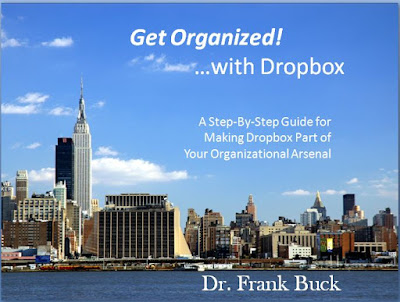
Put anything in Dropbox and retrieve it on any of your computers, mobile devices, or any computer in the world with Internet access. I composed an e-book to guide you through a strategy for using Dropbox.Click on the cover to download.

time management
Click on the cover to download the free Dropbox E-Book

Evernote 
Time ManagementEvernote is a great place to store and organize commonly-accessed information. The information is then available on any of your computers, mobile devices, or any computer in the world with Internet access. On February 4, my post will talk about the notebooks I suggest you create when you get started with Evernote.

Voice Input
This area is becoming a major player in the world of smartphones. Everyone has seen the commercials advertising Siri. In the audio segment, we examine using voice input to get "to-dos" into your system, specifically getting them into your email so that when you handle your email, you are handling the voice notes (now transcribed to text) as well. To set up a reQall account, go to reQall.com/app.

For Vlingo, go to the site where you download apps for your smartphone and search for Vlingo. Recently, Vlingo for Android has been replaced with a program called "Dragon Mobile Assistant." Currently, Dragon will not allow you to email by voice, functionality that is necessary to get those random thoughts into your system. The app promises this functionality will be there soon.

Each of these 5 tools represents a major player in my productivity arsenal. They help me quickly access the information I need when I need it. Thanks for listening to the School Leadership Briefing segment. Feel free to leave a comment or ask a question.